CACFP software for child-care centers
CACFP compliance, menu planning and kitchen inventory in one place.
Plan menus against the meal pattern, count from a phone, receive deliveries against the invoice — then print the CACFP record for any center and any month. A program review becomes something you already have, not a weekend you lose.
No signup for the demo — it is the real product, on sample data. Pricing is per center and quoted per organization.
Already using NIA?
Sign in here and we’ll take you to your center.
Why centers move
What actually changes in the first week
Menus that pass on the first look
Every recipe is checked against the CACFP meal pattern for its meal type as you build it, and the ones that fall short say so — before they reach a plate or a reviewer.
A month planned in an afternoon
Set a rotation once, auto-fill the month from it, then change the days you want changed. What used to be an evening with a calendar and a binder is a few minutes.
The review report is a button, not a weekend
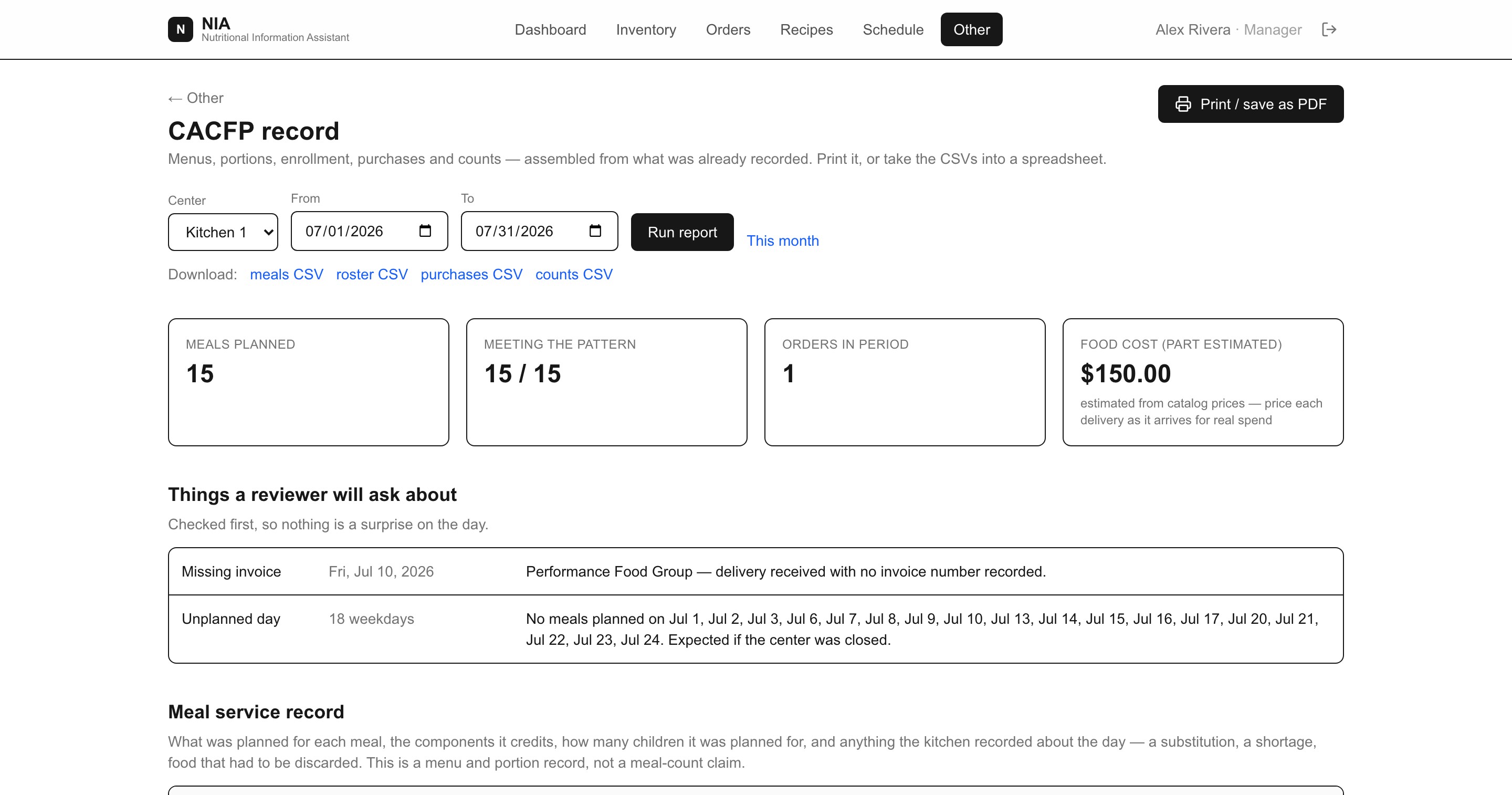
Pick a center and a date range and the CACFP record prints: menus, the pattern check on each meal, per-age-group portions, enrollment, purchases and counts. Nothing to reconstruct, because it was never taken apart.
Problems surface before the reviewer finds them
Every report opens with the things a reviewer will ask about — a meal that misses its pattern, a month with no enrollment recorded, a delivery with no invoice number, a weekday with nothing planned.
What the food actually cost, not what you planned to spend
Deliveries are checked in against the invoice: what really arrived, what it really cost, and any line that came up short. Food cost stops being an estimate the moment someone types the invoice.
Simple enough for everyone in the building
Cooks see a short list: count a shelf, request what is missing, check in a delivery, read today’s serving sheet. No training binder, no spreadsheet formulas.
Every center, one screen
Stop asking two centers the same question twice
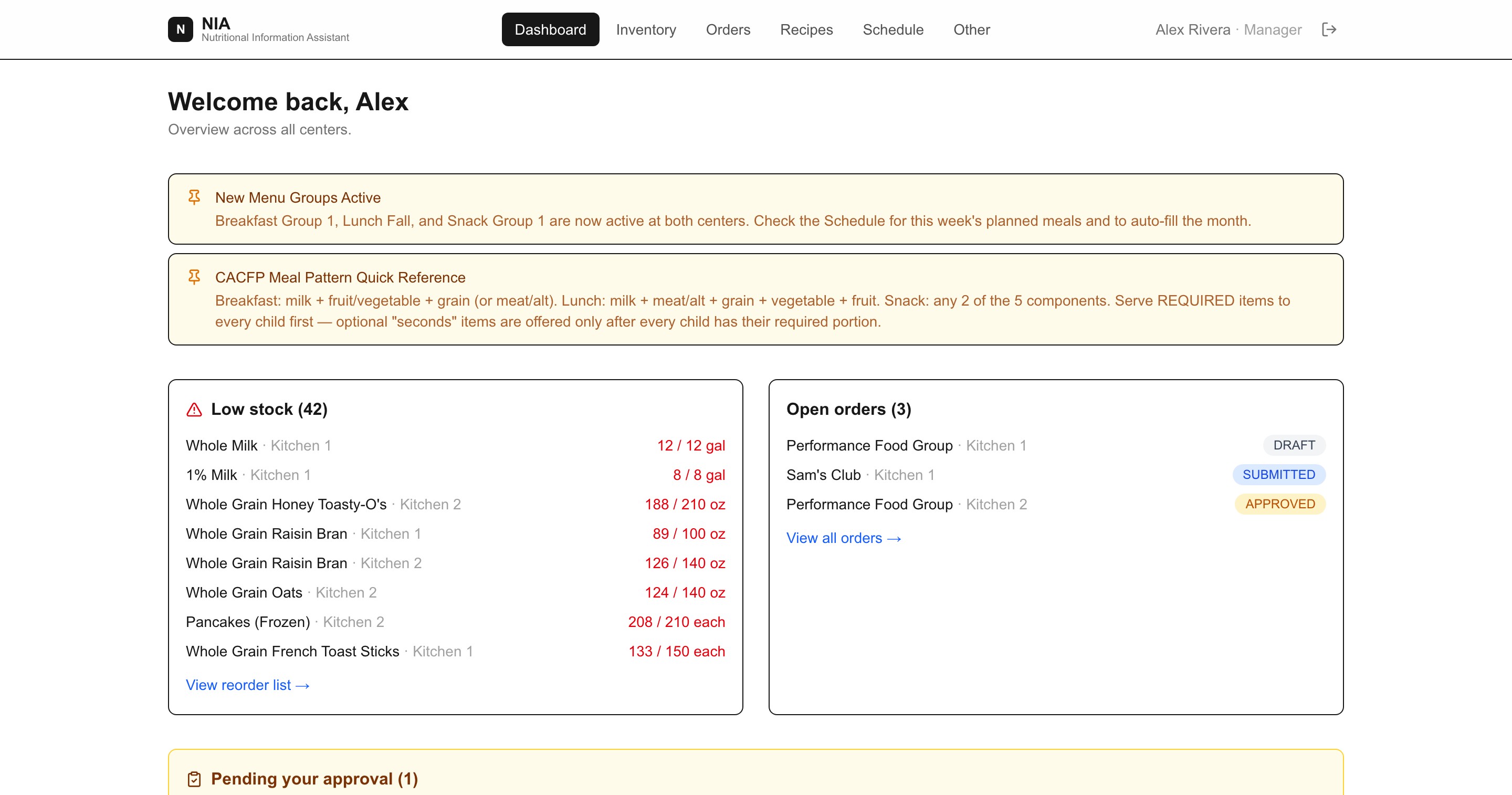
Low stock, open orders, what needs approving and what is being served today — for every center you run, in one place. Each center keeps its own counts, suppliers and rosters underneath.
CACFP built in
The meal pattern is checked while you plan, not after
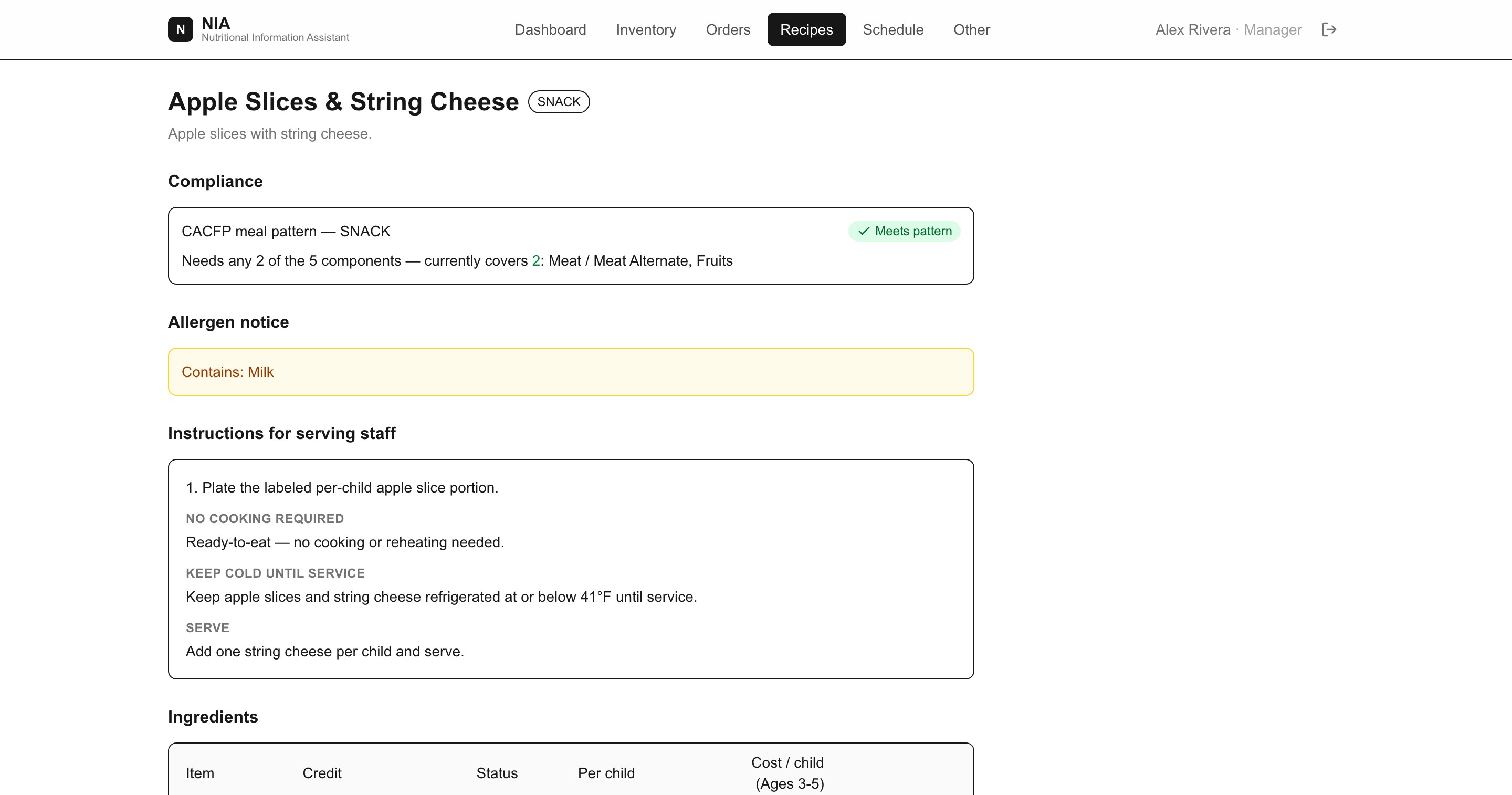
Each recipe shows which components it credits, which ingredients are required versus offered as seconds, the portion each age group must be served, allergens, and the cost per child. Scaled quantities are worked out for you.
Counts from the walk-in
Inventory that a cook can actually keep up to date
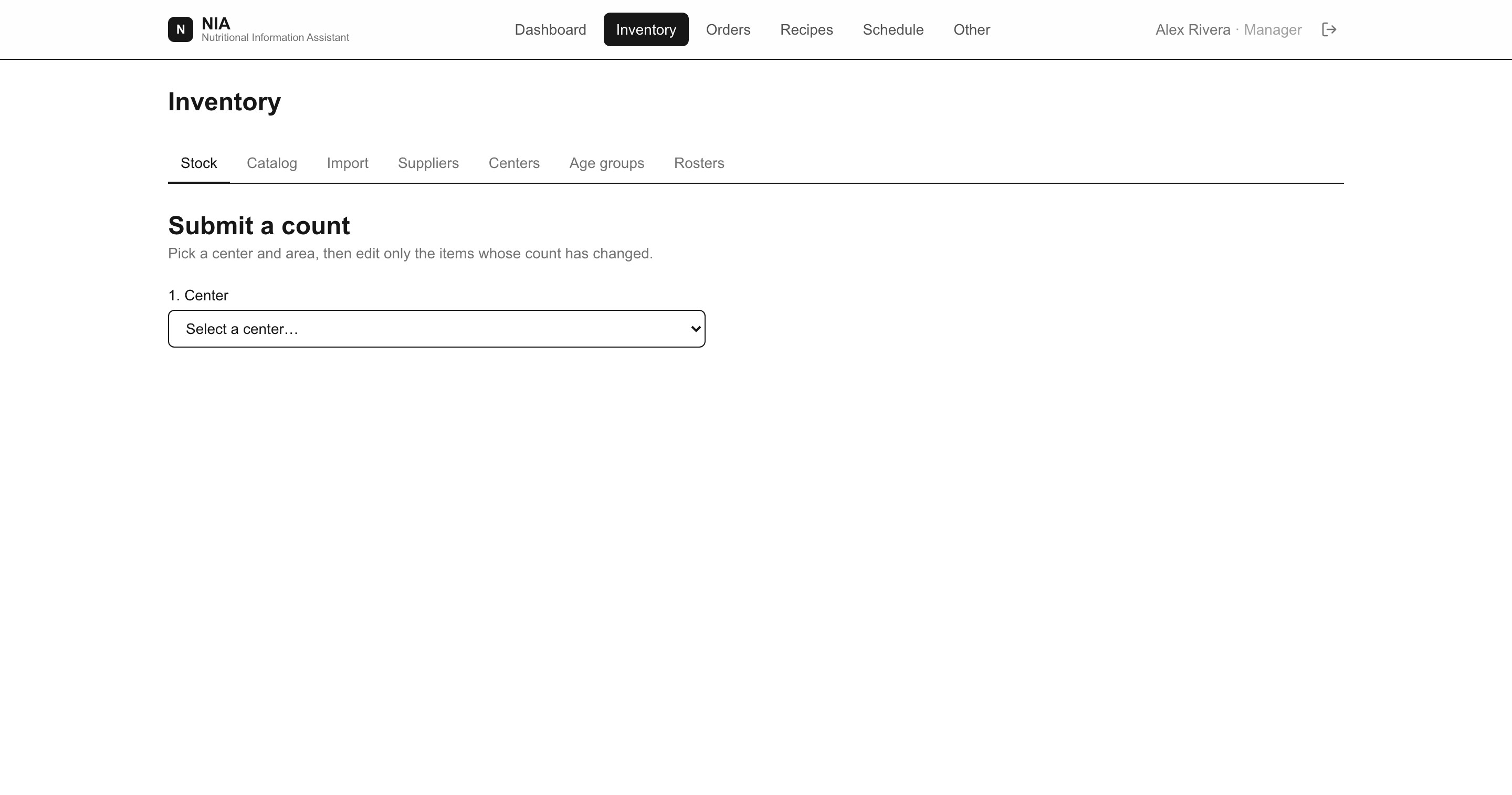
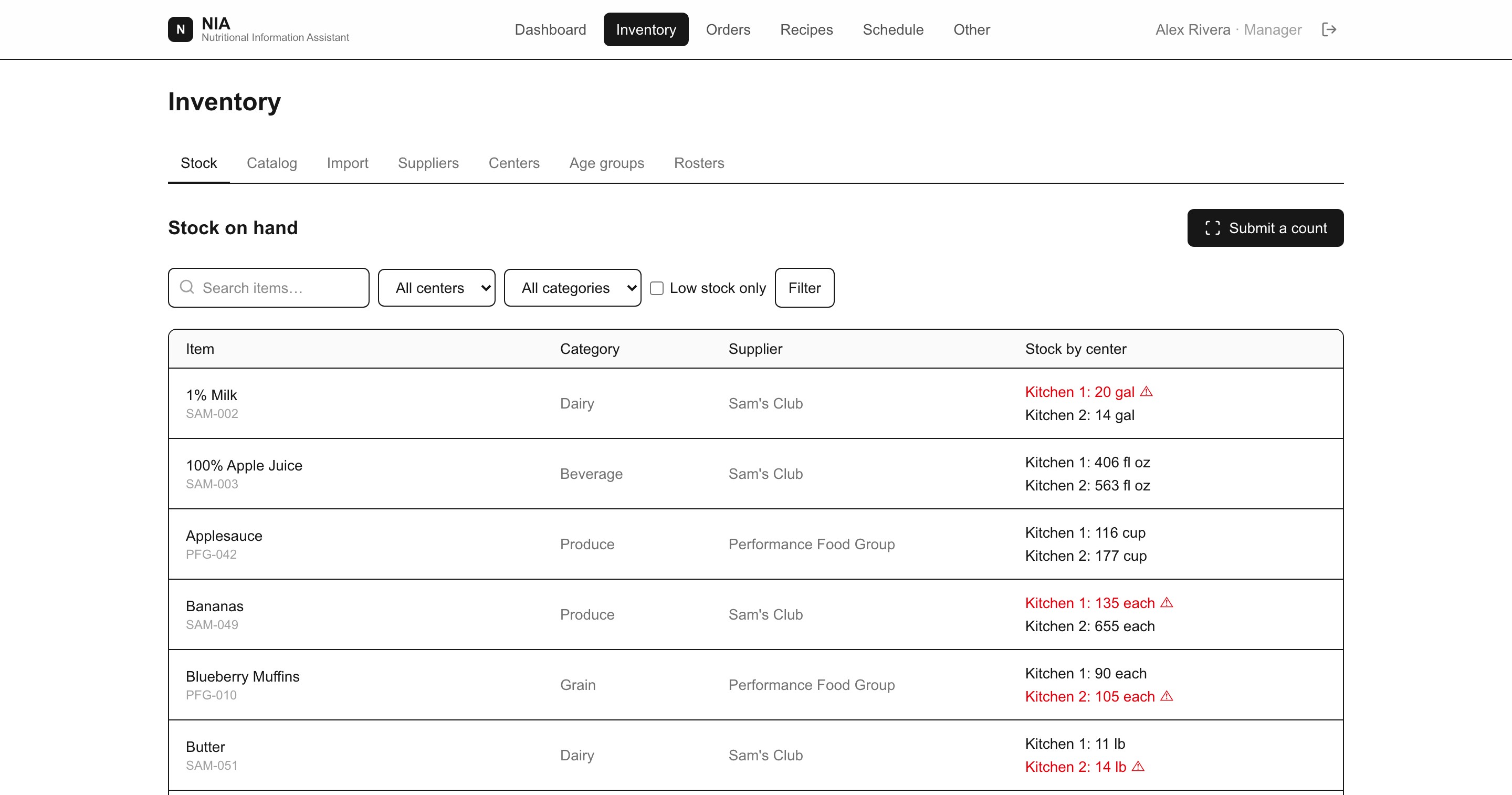
Pick a center and a storage area, edit only what changed, submit. Counts land against par levels, and anything below par shows up on the reorder list instead of being remembered by someone.
Ordering and receiving
From what the menu needs to what the truck actually left
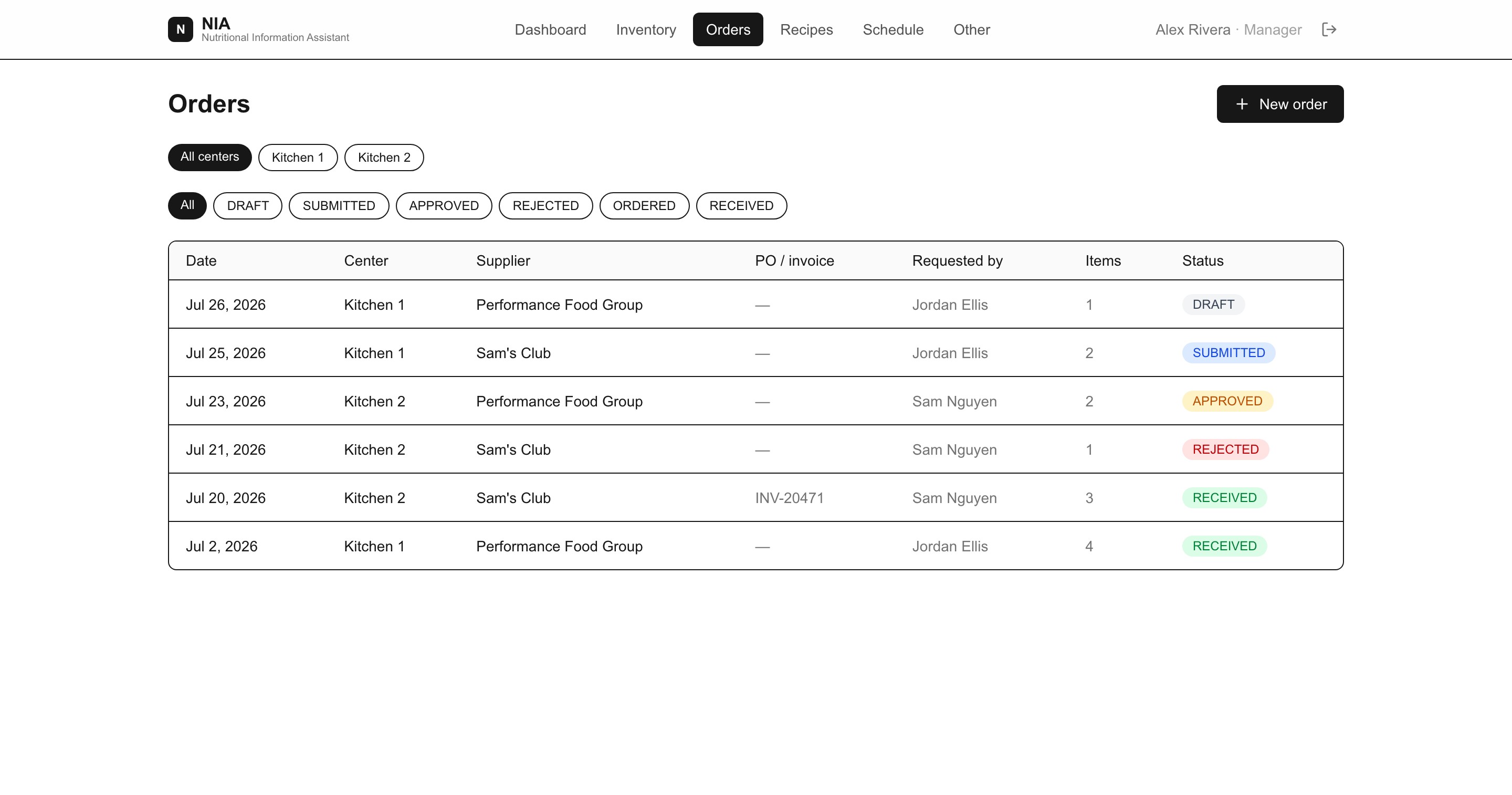
Planned meals and enrollment turn into what each center needs, prefilled by supplier. A cook requests, a manager approves and adds a PO number, and whoever takes the delivery in records the invoice number and what really arrived — line by line, into the storage area it went to. Short two cases? Stock reflects the two you got, not the four you asked for.
Program reviews
The record a reviewer asks for, printed from the week you already ran
Choose a center and a date range. You get the menu served each day, the components each meal credited, the portion every age group was owed against that month’s enrollment, the food bought with its PO and invoice numbers, and every count submitted. Print it, or take the CSVs into a spreadsheet. It opens with the exceptions a reviewer would find, so nothing is a surprise on the day.
One catalog
What you buy, what it credits, what it costs
Items carry pack size, supplier part number and CN crediting information, so two ways of meeting the same requirement compare honestly. Catalog prices forecast an order; the price recorded when it was received is what the report counts as spend — and the two are never mixed up or added together.
Everyone in the building
Each role sees only what they need
Cooks
Count a shelf, request what is short, check in a delivery against the invoice, and open today’s serving sheet — which says how many of each item to put out per age group, what temperature to hold, and which items are seconds. If a tray is overcooked or something spoils, they note it there and it lands on the record.
Managers
Plan the month, set rosters and par levels, approve orders, invite and remove staff, and see every center without chasing anyone for numbers.
Directors and owners
One record per center, cost per child on every recipe, real food spend from the invoices, and a printable history of what was planned, counted, ordered and received — with who did each of them.
What is in the record
The paperwork is a by-product of running the week
Most of the risk in a review is not doing the wrong thing — it is not being able to show what you did. NIA writes the record as the week happens, then assembles it on demand for any center and any date range.
It is deliberately a menu, portion and purchase record, not a meal-count claim: NIA does not take attendance, and a report that implied otherwise would be worse than no report at all.
- Planned menus per center, per day, per meal
- Meal-pattern check and credited components on every meal
- Per-age-group portions from that month’s enrollment
- Notes on what changed — a substitution, a shortage, food discarded
- Purchases with PO and invoice numbers, and what actually arrived
- Food cost, separated into invoiced spend and catalog estimate
- Every count, with who submitted it and when
- Allergen notices carried from the catalog to the serving sheet
- Your own policies and documents stored alongside them
Questions
Frequently asked
- Does NIA handle the CACFP meal pattern?
- Yes. Recipes are checked against the meal pattern for breakfast, lunch or snack as you build them, using each age group’s minimum portions. Required components are flagged before a menu is published, and each scheduled meal produces a serving sheet with the exact per-age-group quantities.
- Can we produce the report a reviewer asks for?
- Yes, and without a second round of data entry. Pick a center and a date range and NIA assembles the CACFP record from rows the week already wrote: menus, the meal-pattern check on each meal, per-age-group portions against that month’s enrollment, purchases with PO and invoice numbers, and every inventory count. Print it or download the CSVs. It is a menu, portion and purchase record — not a meal-count claim, since NIA does not record attendance.
- What happens when the day does not go to plan?
- Whoever is in the kitchen writes what actually happened on the meal — a substitution, a shortage, two trays overcooked and discarded. It appears beside that meal on the record, so a reviewer reads the reason instead of asking about a gap. Cooks can write these, not just managers, because the person holding the information is the one who should record it.
- Does it tell us what food actually costs?
- Yes. When a delivery is checked in, whoever receives it records what arrived and what the invoice charged, pre-filled from your catalog price so a matching invoice is one click. Reports then separate real invoiced spend from catalog estimates and never add the two together, so cost per center and cost per child are figures you can defend.
- Can cooks use it on a phone in the kitchen?
- Yes. Counting, requesting an order, checking in a delivery and reading a serving sheet are all designed for a phone, including barcode scanning for items that carry one.
- We run more than one center. Does that work?
- That is the normal case. One organization holds as many centers as you run, each with its own storage areas, counts, rosters, suppliers and orders, while recipes and the item catalog are shared.
- Do we have to move our recipes and suppliers across ourselves?
- No. We onboard each customer ourselves, including your existing recipes, item catalog and suppliers, and every new organization starts from a set of CACFP-compliant templates.
- What does it cost?
- Pricing is per center and quoted per organization, so tell us how many centers you run. There is a live demo you can explore before you talk to anyone.
Tell us about your centers and we'll quote it.
We onboard each customer ourselves, including your existing recipes and suppliers.